Live operations map
Every active trip on a single map. Which vehicle is moving, which is waiting, how many riders have boarded: the day at a glance the moment you sign in.
End-to-end management for school and staff shuttles: every vehicle on a live map, parents and passengers notified in real time, drivers recording who boards, and managers spotting delays and detours the moment they happen. Shuttle operators serving many factories and schools run all their clients from a single company panel.
Whether it's the school office, HR or facilities, the team responsible for shuttles runs everything from one web panel and sees problems before parents or employees do.
Every active trip on a single map. Which vehicle is moving, which is waiting, how many riders have boarded: the day at a glance the moment you sign in.
If a trip doesn't start on time, a vehicle runs late to a stop, leaves its route or exceeds the speed limit, the panel rings, and an e-mail can follow. You set the thresholds.
Enter riders' home addresses and the destination; the system suggests stops on main roads within walking distance of homes, in the shortest order. Adjust them on the map and save as a route in one click.
Know who's coming before the trip and who boarded during it. Drivers mark riders with a single tap, and every record is stored with date and time.
Trip, delay, attendance, occupancy and driver reports in Excel or PDF. Route history shows the exact path driven and stop arrival times, minute by minute.
Send an announcement to every rider or to a single route instantly. Vehicles, drivers, licence and inspection dates, and day-to-day driver or vehicle swaps, all in one place.
On every trip, the time the vehicle reaches and leaves each stop is recorded automatically. When someone says "the shuttle never came", you have the answer.
Salary and leave records for drivers and staff; insurance, inspection and maintenance dates for vehicles. Documents about to expire show up well in advance.
Start with the modules you need and extend your package as your operation grows.
Parents follow their child's shuttle live on their phone and get notified when it sets off and when it's nearing their stop. The school, in turn, has a record every morning of which students boarded.
Siblings under one parent account: the parent follows each child separately, marks their attendance, and is notified when the child boards and when the shuttle reaches its destination.
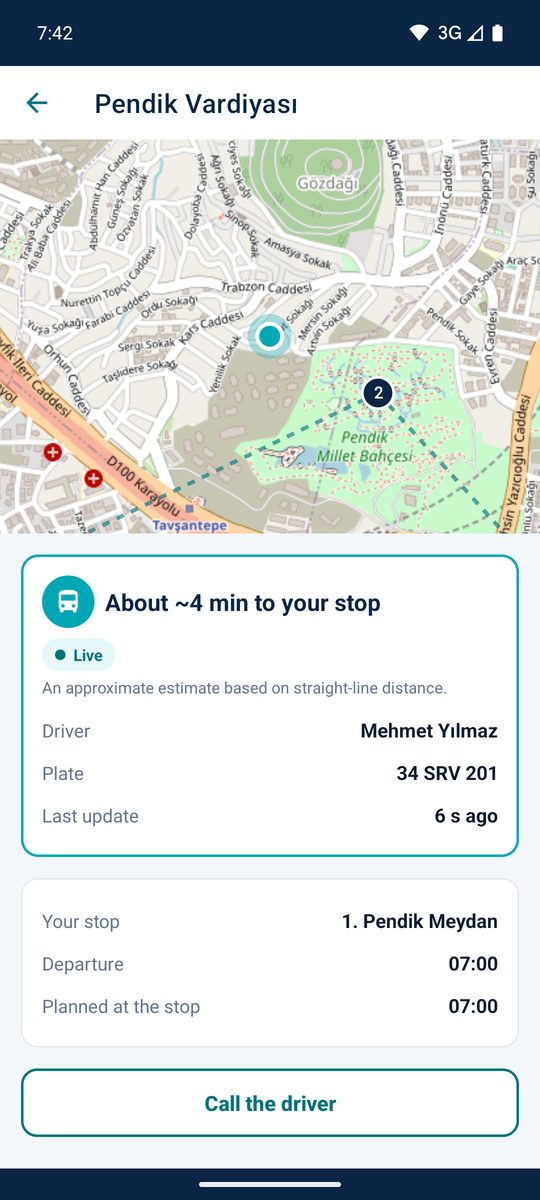
A dedicated company panel for operators running shuttles for factories, schools and businesses. Each client's data stays its own, while you manage your whole fleet from one place.
Administrators, drivers, passengers and parents each see what they need, and nothing more.
Runs in the browser, nothing to install. The hub for managing your fleet, routes, passengers and reports.
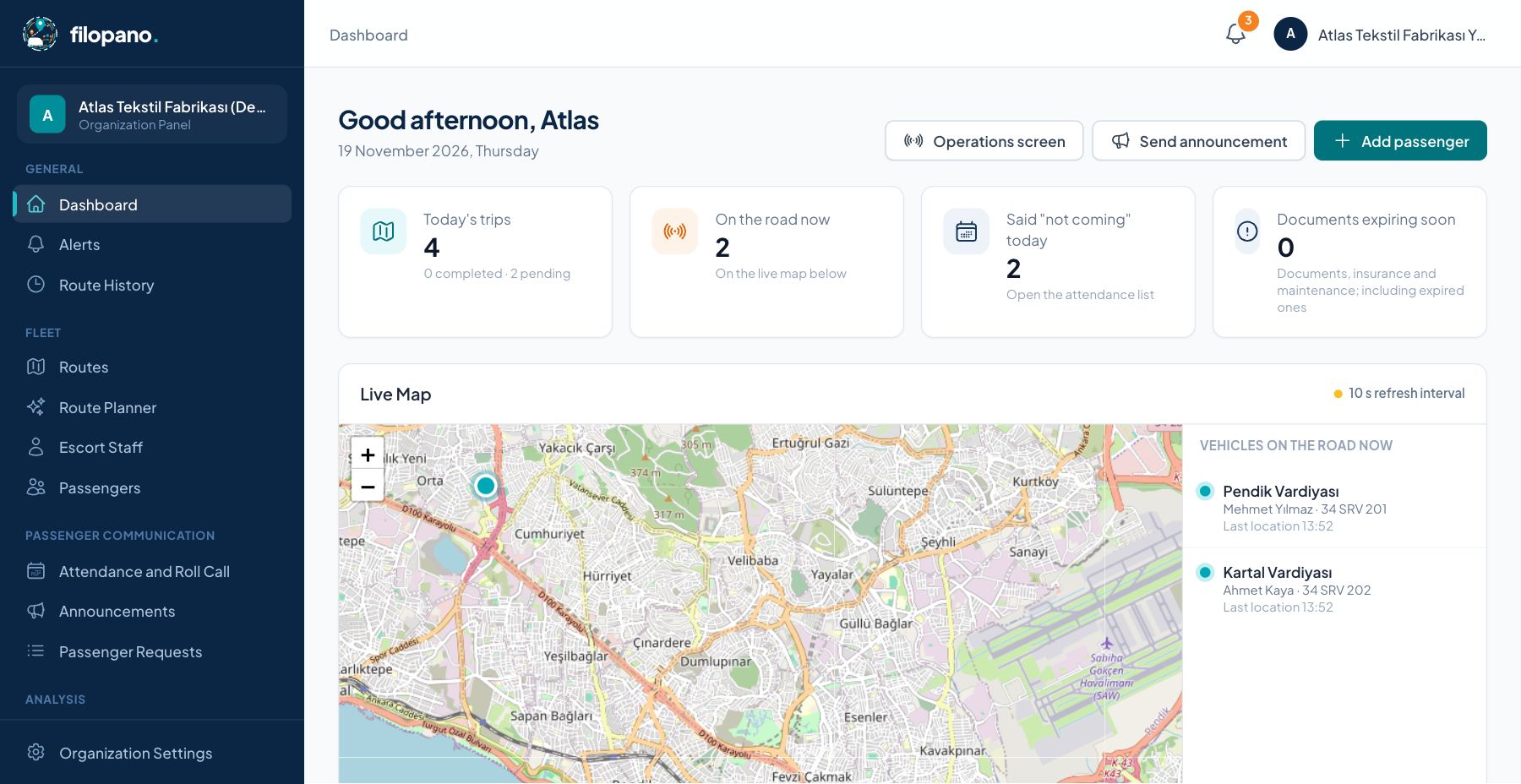
Big, simple buttons. Pick the route, tap "Start trip", and the app takes care of the rest.
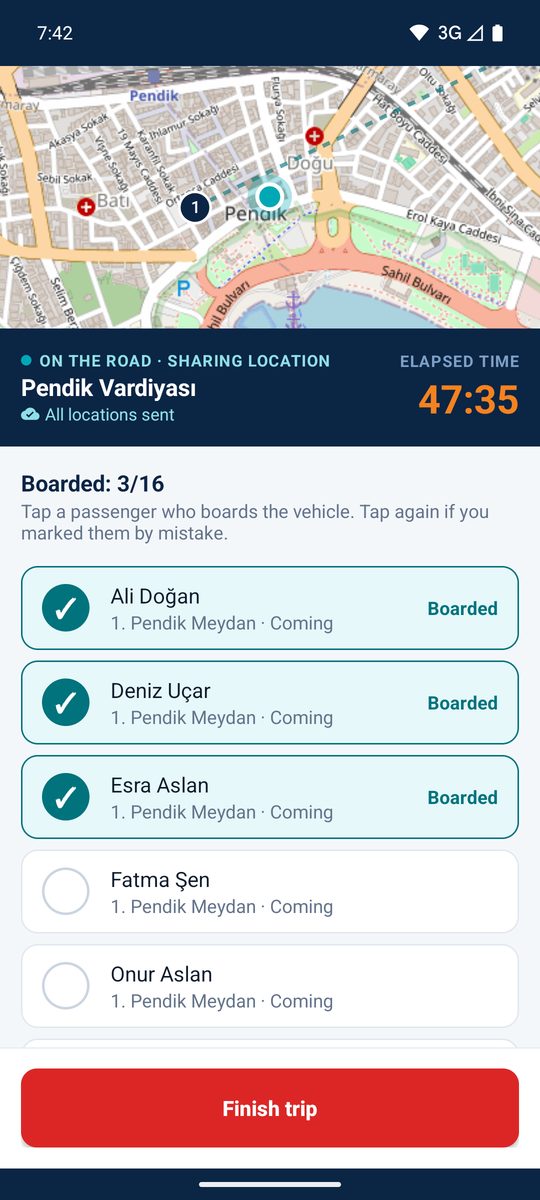
See where the shuttle is, report whether you're riding, never miss an announcement.
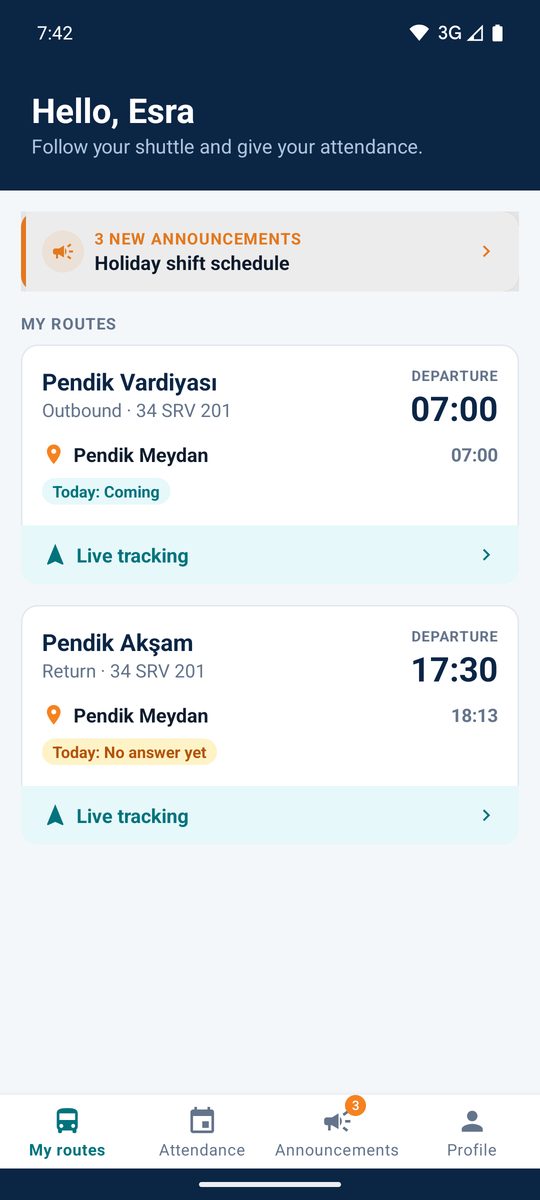
Your own panel and admin accounts, completely separate from every other organization.
Add vehicles and drivers, import passengers from Excel, and build routes from addresses with the route planner.
Drivers, passengers and parents sign in with their phone number or e-mail; setup takes minutes.
The moment a driver starts a trip, the vehicle is on the map; alerts, attendance and boardings flow into the panel.
Parents follow the shuttle live, every student's boarding is recorded, and the school office is spared the morning phone calls.
Measure how full your staff shuttles are, plan routes around shift times, and cut unnecessary trips and costs.
Serve multiple clients while each keeps its own data and panel, with reports ready per client.
For shuttle operators →filopano processes data on behalf of, and on the instructions of, your organization. Each organization's data is kept separate, access is role-based, and personal data is kept only as much and as long as needed.
The school adds the parent to the student's record (in bulk via Excel if you like); the parent signs in to the passenger app with their own phone number or e-mail. One account covers several children: the shuttle's live location, ETA to the stop, "on its way", "approaching your stop", "boarded" and "arrived at destination" notifications, and marking days they won't ride.
No. The driver's own iPhone or any phone on Android 6.0 or later is enough; the app is built to run on older, low-end phones too. Nothing is installed in the vehicle.
The driver app stores locations and boarding marks on the phone. Once the connection is back, everything is sent in order, so the route history has no gaps.
No. Only the shuttle's location is shared, from the moment the trip starts until it ends. The passenger app doesn't ask for location permission.
No. Enter riders' addresses and the destination in the route planner; the system suggests stops on main roads, their order and stop times. You adjust the suggestion on the map and save it.
No. You can upload your passenger list in one go from an Excel or CSV file.
The driver and passenger apps run on iPhone (iOS) and Android phones; on Android, version 6.0 and later is supported. The organization panel only needs a web browser.
Yes. Your company gets its own company panel; you add your clients (factories, schools, companies) yourself and step into any client's panel in one click. Your vehicles and drivers sit in a shared pool used across all clients. If you wish, you can give a client its own admin login with access set section by section; a client only ever sees its own data.
The web panel needs no installation; you just sign in from your browser. Defining your fleet and rolling out the apps is usually done within the same day.
Write to us for a demo tailored to your organization or shuttle company; we'll show you the system with your own routes and passenger addresses.